Antons Video Productions
20 Solander Ave
West Hoxton 2171 NSW, Australia
+612 9825 9999
EDIUS elementary stream MPEG export for Blu-ray Authoring
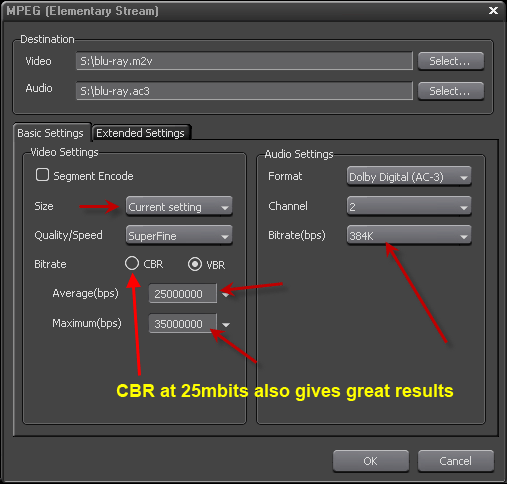
1. Make sure project setting is 1440x1080 or 1920x1080 or 1280x720, mark in and out on Edius timeline, open the exporter and choose MPEG, then Elementary Stream Exporter.
2. Use a maximum of 35,000kbps for video and 384kbps for audio, set audio type to Dolby Digital AC-3, leave size on Current setting.
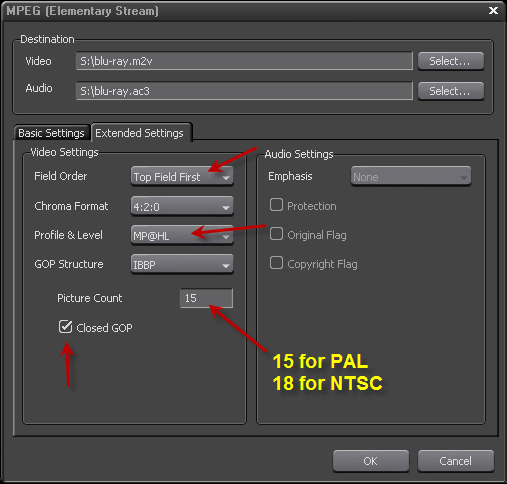
3. Go to Extended Settings, set field order to top field, set profile level to MP@HL, close GOP, set the correct GOP structure, 15 PAL and 18 NTSC
Back to more Video Editing Tips and Tricks