Antons Video Productions
4 Woolpack Street
Braemar 2575 Southern Highlands
NSW Australia
+61 2 418 626 417
Real Time Colour Correction with Speed Razor and Digisuite
1. Duplicate the clip to the track below and attach the Digisuite DVE Paint effect.
2. Set chroma to zero and apply a tint suitable to correct the problem.
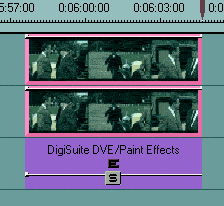
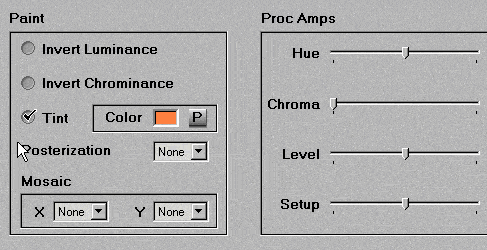
3. Adjust transparency and fine tune tint of the effect, until you get the desired result.
Note: The above is not true colour correction but it can achieve very close results. I use it mainly for correcting long clips because it is real time. For short clips I use Vixen.
Back to Non-Linear and other Tutorials