Antons Video Productions
20 Solander Ave
West Hoxton 2171 NSW, Australia
+612 9825 9999
EDIUS 5 Sync Mode explained
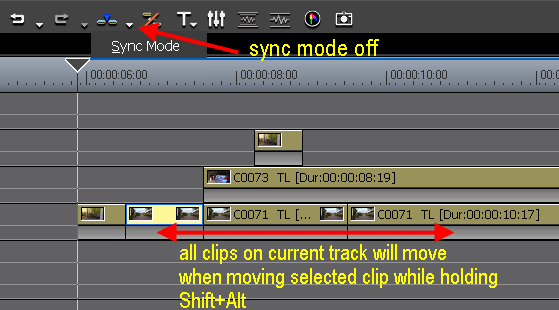
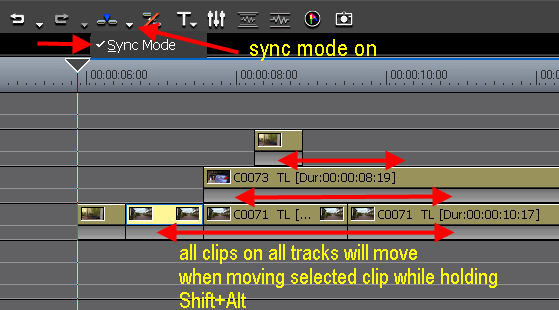
To turn off/on Sync mode, click the down arrow of the Insert/Overwrite Mode button.
When Sync Mode is off, you can move all clips (that follow the selected clip) on the current track (left or right) while holding Shift+Alt
When Sync Mode is on, you can move all clips on all tracks to the right of the selected clip while holding Shift+Alt
Watch a small movie to see Sync Mode on/off in action (1.9mb)
Back to more Video Editing Tips and Tricks