Antons Video Productions
4 Woolpack Street
Braemar 2575 Southern Highlands
NSW Australia
+61 2 418 626 417
Setup for multiple Speed Razor 2000 users
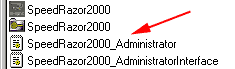
Follow this recommended procedure so that every new user won't have to go through setting up the interface and preferences. The quickest way is to use Windows explorer, browse for the SpeedRazor2000 folder, then double click SpeedRazor2000_Administrator
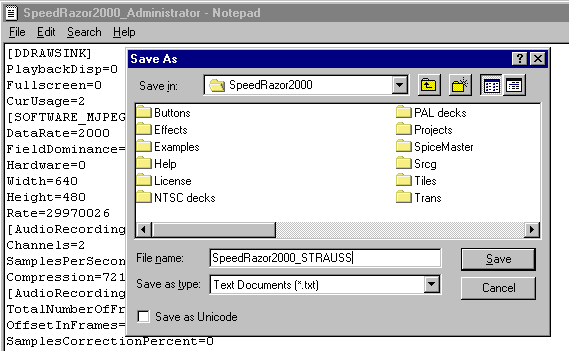
Choose file, save as and name it SpeedRazor2000_USER (STRAUSS in the example)
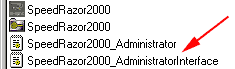
Create as many new users as you like, then when all done, double click SpeedRazor2000_AdministratorInterface
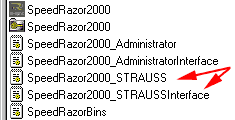
Choose file, save as and name it SpeedRazor2000_STRAUSSInterface
Then, when all done it will look like this in Windows Explorer
Finally, make sure that in SR preferences, miscellaneous, check mark must be in ask user for login.
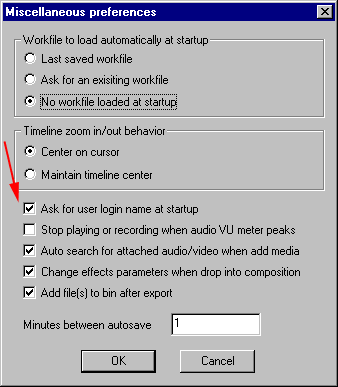
Then every time you start Razor, a box appears asking for the login. Type Administrator for yourself, and type the user name for the user such as STRAUSS
Back to Non-Linear and other Tutorials