Antons Video Productions
20 Solander Ave
West Hoxton 2171 NSW, Australia
+612 9825 9999
Burning Blu-ray Video with Nero Burning Rom
Current version available here http://www.nero.com
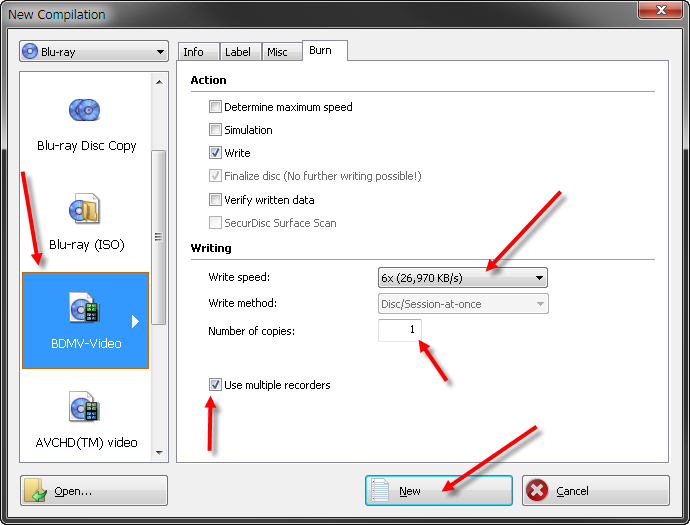
1. Start Nero Burning Rom and choose Blu-ray and BDMV Video, set burn speed and tick multiple burners (if you have multiple burners of the same model), type the number of copies needed and then click New
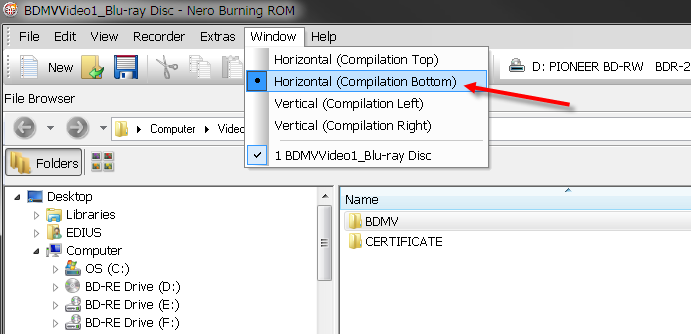
2. Set Nero Burning Rom to Horizontal, Compilation Bottom (this will be remembered for all future burns)
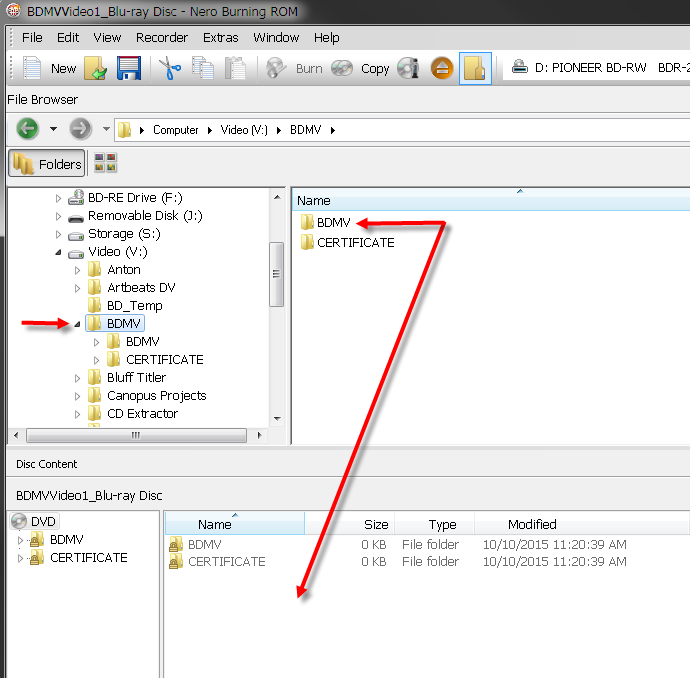
3. Find the BDMV folder on your hard disk on top left window and drag it from the top right to the bottom right into empty space. There is no need to drag the Certificate folder since Nero automatically creates it. Nero will warn you if your BDMV folder is not Blu-ray compliant and will indicate the issue so you can fix it.
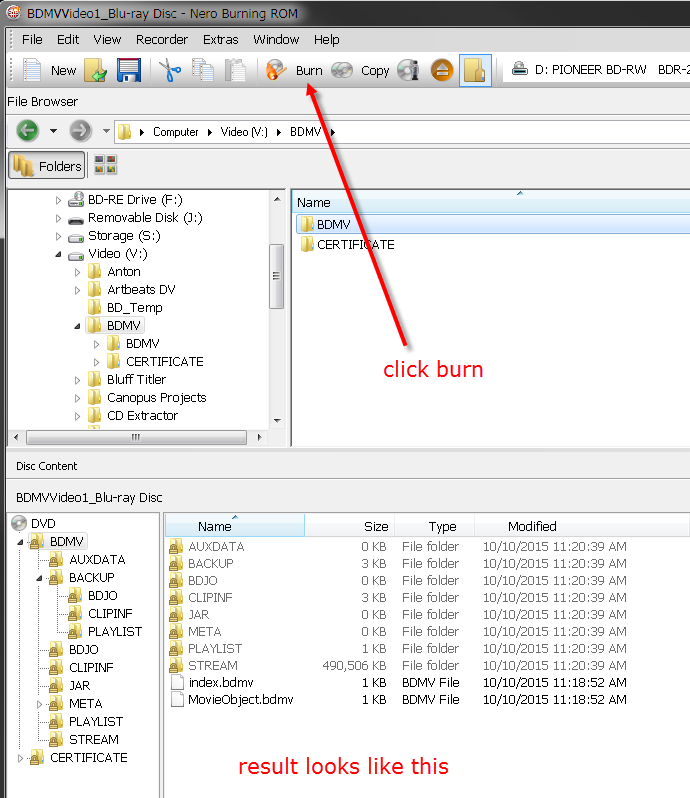
4. Click the Burn Button at the top and not at the bottom right, the one at the bottom right bypasses your configuration windows, so not ideal
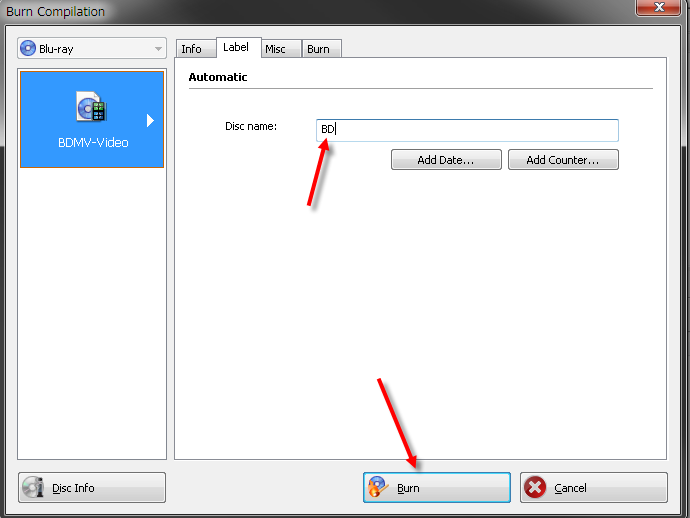
5. Type a disk name for your Blu-ray and then click Burn
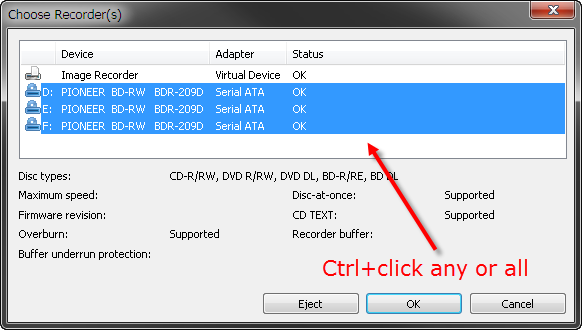
6. Select any or all burners you wish to use at the same time by using Ctrl+Click
7. Done
Burning Blu-ray Video with ImgBurn (free)
Please see this tutorial http://forum.imgburn.com/index.php?showtopic=9512
Download ImgBurn here www.imgburn.com/index.php?act=download
Back to Non-Linear and other Tutorials