Antons Video Productions
20 Solander Ave
West Hoxton 2171 NSW, Australia
+612 9825 9999
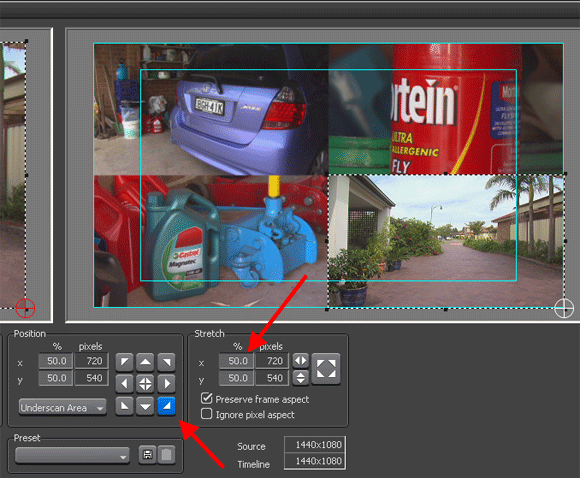
Creating four picture in picture effect with EDIUS 5 Layout Tool
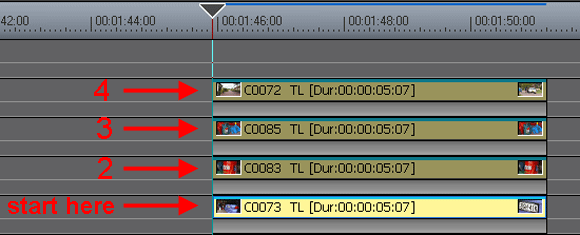
1. Stack your shots on top of each other and start with the lowest
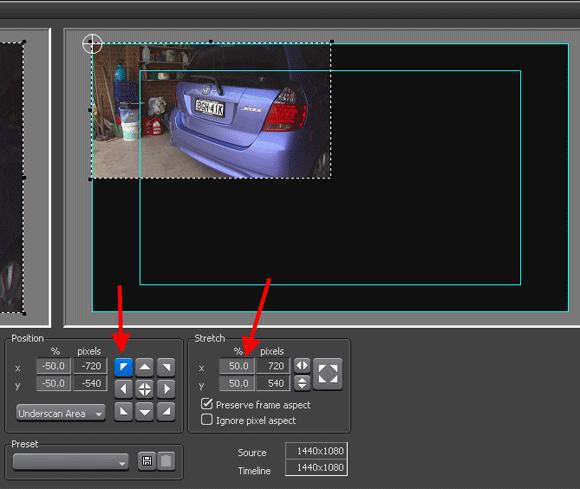
2. Go to layout, type 50% and click top left
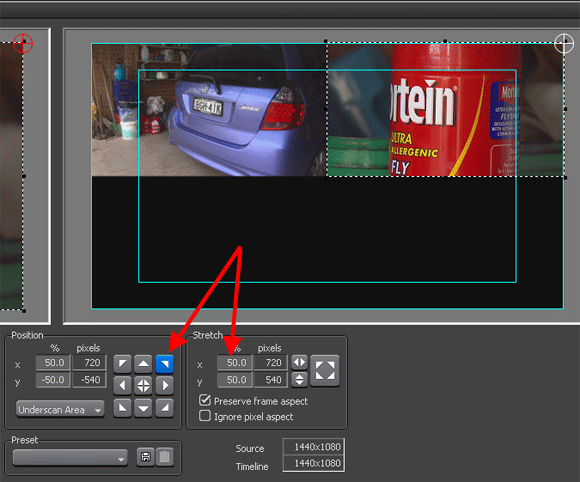
3. type 50% and click top right
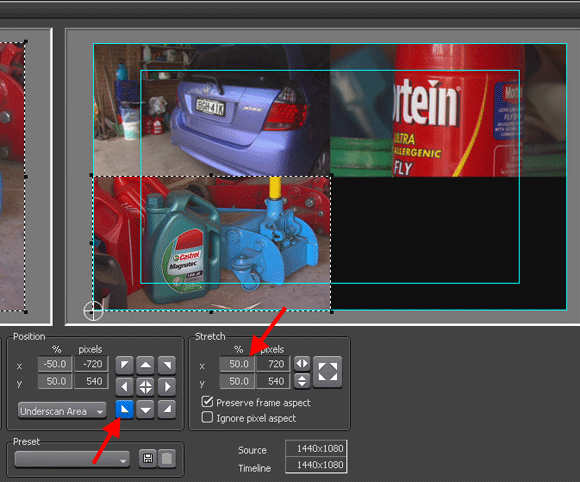
4. type 50% and click bottom left
5. type 50% and click bottom right
Back to more Video Editing Tips and Tricks