Antons Video Productions
20 Solander Ave
West Hoxton 2171 NSW, Australia
+612 9825 9999
Quickly render non-realtime transitions with EDIUS
1. Let timeline cursor snap to start of transittion and press I to set in, then snap cursor to end of transition and press O to set out
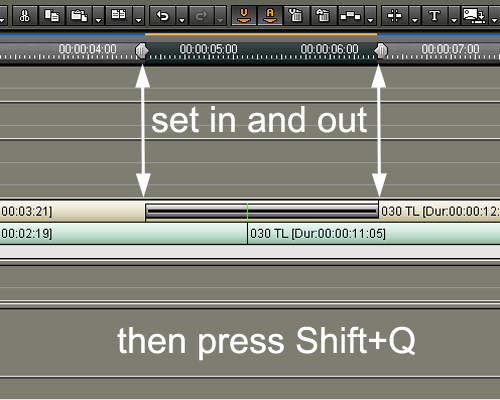
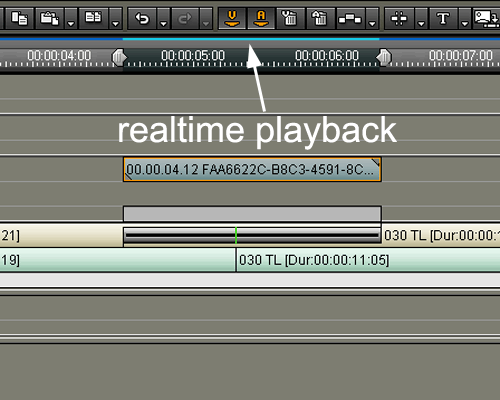
2. Press Shift+Q and a rendered clip will be placed above the transition for realtime playback
Back to Non-Linear and other Tutorials